English



Treatment methods for common faults of Media Converter
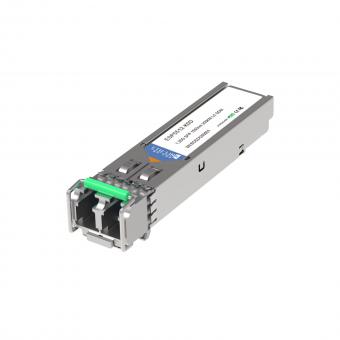
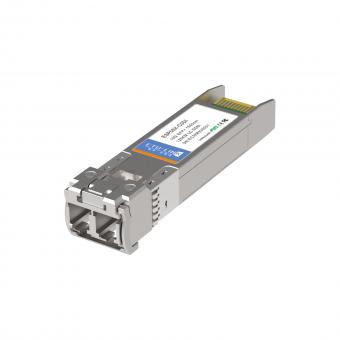
SFP Media Converter is commonly used for copper networks that cannot be covered, must use fiber to extend the transmission distance. Media converter (fiber optical converter) is widely used in security monitoring, enterprise network, intelligent building, and industrial communication to extend network transmission distance via optical fiber. However, users often encounter problems like link down, packet loss, intermittent connection, fiber breakage. This article summarizes the most common faults and step-by-step troubleshooting methods for SFP media converter, 100M media converter, and Gigabit media converter to help you solve problems quickly.
c. Is the fiber connector inserted into the device interface perfectly?
d. Does the Optical Patch Cord match the interface?
e. Does the device type match the fiber type?
f. Is the transmission distance too long to exceed the optical fiber transmission distance?
g. Check that the local and remote devices use matching wavelengths (1310nm/1550nm for single-mode; 850nm for multi-mode).
h. Ensure single-mode fiber is not used with multi-mode media converter.
i. Clean the fiber connector with a fiber cleaning pen to remove dust.
j. Replace the fiber patch cord to rule out damaged cord issues.
2. Why is Network Packet Loss Serious & How to Fix It?
c. Does the loss of optical fiber line exceed the sensitive value of the equipment?
d. Check if the RJ45 cable is Cat5e/Cat6 and within 100 meters.
e. Test with another network cable to eliminate cable quality issues.
f. Use an optical power meter to check if the received power is within the normal working range.
g. Ensure the media converter is set to the correct rate (100M/1000M) and duplex mode.
b. It may be media converter fault, At this moment, both ends of the media converter can be connected to the PC (not through the switch), both ends to PING. If no problem, send a larger file(more than 100M) from one end to the other, observe its speed. If the speed is slow (files less than 200M for more than 15 minutes), can be basically judged as media converter fault.
c. Check power supply stability; unstable voltage causes intermittent connection.
d. Eliminate electromagnetic interference by keeping away from strong power equipment.
e. Use industrial-grade media converter for outdoor or high-temperature environments.
f. Check if the optical module is loose or poorly compatible.
1) On-off detection for optical cable or patch cord: Use the laser flashlight to irradiate one end of the optical cable or patch cord, see if there's any light on the other side, If not, the optical cable is broken.
2) Use a red laser pen (visual fault locator) for more accurate breakpoint detection.
3) Single-mode fiber uses 1310/1550nm; multi-mode uses 850nm.
4) If bending is too tight, replace the patch cord to avoid increased attenuation.
5) Clean connectors before testing to avoid false judgments caused by dirt.
If you want to know more about optical communication, welcome to visit our website: www.etulinktechnology.com.
FAQ: Common Media Converter Troubleshooting Questions
(1) What is the difference between SFP media converter and traditional media converter?
SFP media converter uses a modular SFP port, supporting flexible optical modules for different distances and wavelengths. Traditional media converter has a fixed optical port. SFP type is more expandable and widely used in modern networks.
(2) Can single-mode and multi-mode media converter be used together?
No. Single-mode and multi-mode fiber have different core diameters and cannot communicate directly. Mismatch causes link failure, packet loss, or no signal.
(3) How to avoid media converter failures in long-term use?
Use stable power supply, keep the environment ventilated and dust-free, regularly clean fiber connectors, use qualified optical fiber and network cables, and select industrial-grade equipment for harsh environments.
(4) Why does my media converter work normally at first but fail after a few hours?
This is usually caused by overheating, poor contact, power instability, or excessive optical attenuation. Check heat dissipation, power supply, and receive optical power.
Last updated: May 13, 2026
Categories
New Blog
Tags
For inquiries about our products or pricelist, please leave your information with us and we will be in touch with in 24 hours.


 Factory: Right Side Of 3rd Floor, No. 102 Building, Longguan Expressway, Dalang Street, Longhua District, Shenzhen
Office: Floor 4, Building 4, Nanshan Yungu Phase ll, Taoyuan Community, XiliStreet,Nanshan District, Shenzhen
© Copyright: 2026 ETU-Link Technology CO ., LTD All Rights Reserved.

IPv6 network supported
Friendly Links:
易天官网