English



H3C switch configuration tutorial and H3C S5810 series switch optical module matching
This article combines practical H3C switch security configuration commands and complete optical module matching list for S5810 series Layer 3 switches. It covers MAC/IP/port binding anti-attack configuration, compatible SFP Copper-T, 10G SFP+ transceivers, and real machine test verification for enterprise campus and small data center deployment.
1. Brief Introduction to S5810 Series Switch
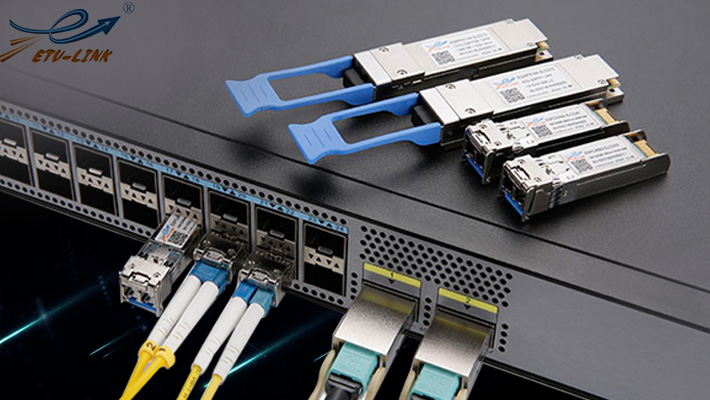
H3C S5810 series Ethernet switch is a high-performance Gigabit Ethernet switch product independently developed by (Huasan) Co., Ltd., which provides rich server access solutions for data. As a mainstream switch, in response to the market and customer's needs, yitianshun introduced this switch for application verification of optical module products. Today ETU-Link will introduce the matching scheme for H3C S5810 series switch and optical module.
S5810 is a rack-mount Layer 3 enterprise switch with two mainstream models: S5810-28TS (24×Gigabit RJ45 + 4 combo SFP + 4×10G SFP+ uplinks) and S5810-48TS (48×Gigabit PoE RJ45 + 4×10G SFP+ uplinks). It supports stacking up to 8 units, static routing, VLAN isolation, AM user binding anti-intrusion, and hot-plug SFP/SFP+ optical ports, widely used in campus aggregation, SMB office and small data center ToR access scenarios.
Method 1: Use am command:
Use the special am AM User-bind command to complete the binding between MAC address and port. The command is as follows:
[switch]am user-bind mac-address 00e0-fc22-f8d3 interface Ehternet 0/1
H3C switch configuration description: Due to the use of port parameters, the port will be taken as a reference, that is, at this time, port E0 / 1 only allows PC1 to access the Internet, while PCs using other unbound MAC addresses cannot access the Internet. But PC1 can use this MAC address to access the Internet on other ports.
Applicable scenario: Fixed desktop PC access ports, flexible binding without closing MAC learning function of the whole port.
Method 2: Use mac-address command:
Use mac-address static command to complete the binding between MAC address and port. The command is as follows:
[switch]mac-address static 00e0-fc22-f8d3 interface Ethernet 0/1 vlan 1
[switch]mac-address max-mac-count 0
H3C switch configuration description: Because of the use of the port learning function, it is necessary to set the number of MAC learning of the port to 0 after static binding of MAC, so that other PCs can not learn the MAC address after accessing the port.
Applicable scenario: Strict security access control for fixed equipment, completely block unknown MAC access on this port.
2.2 H3C switch IP and MAC address binding:
Method 1: Use am command:
Use the special AM User-bind command to complete the binding between IP address and MAC address. The command is as follows:
[switch]am user-bind ip-address 10.1.1.2 mac-address 00e0-fc22-f8d3
H3C switch configuration description: the above configuration completes the global binding of the IP address and MAC address of the PC, that is, the PC with different IP address or MAC address from the binding cannot access the Internet at any port.
Method 2: Use arp static command:
Use special arp static command to complete the binding between IP address and MAC address. The command is as follows:
[switch]arp static 10.1.1.2 00e0-fc22-f8d3
H3C switch configuration description: the above configuration completes the global binding of the IP address and MAC address of the PC.
2.3 H3C switch port, IP and MAC binding:
Use the special AM User-bind command to complete the binding between IP, MAC address and port. The command is as follows:
[switch]am user-bind ip-address 10.1.1.2 mac-address 00e0-fc22-f8d3 interface Ethernet 0/1
H3C switch configuration description: it can complete the binding function between PC1's IP address, MAC address and port E0 / 1. Due to the use of port parameters, the port will be taken as a reference, that is, at this time, port E0 / 1 only allows PC1 to access the Internet, while PC computers using other unbound IP address and MAC address cannot access the Internet. But PC1 can use this IP address and MAC address to access the Internet on other ports.
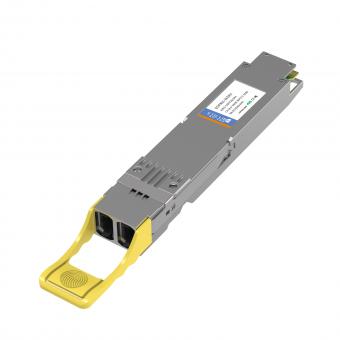
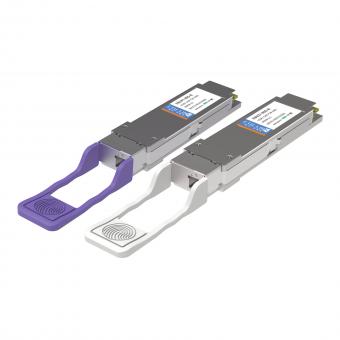
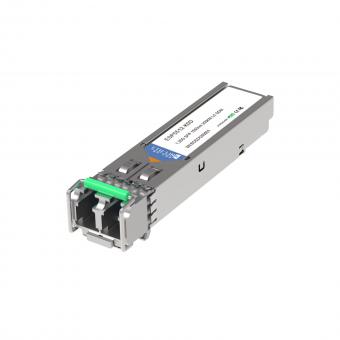
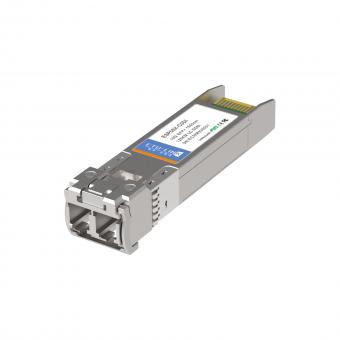
S5810 has 1G SFP combo ports and independent 10G SFP+ uplink ports, supporting Copper-T electrical modules, multimode single-mode optical transceivers. All ETU-LINK modules pass real machine aging test, support SFF-8472 DDM optical power reading without compatibility alarm.
|
ETU PN |
Port Type |
Connector |
Product Description |
|
Console port |
RJ-45 |
1000M SFP copper-T RJ45 100M |
|
|
Ethernet port for management |
RJ-45 |
1000M SFP copper-T RJ45 100M industrial |
|
|
USB port |
RJ-45 |
10/100M SFP copper-T RJ45 100M |
|
|
10/100/1000Base-T adaptive Ethernet port |
RJ-45 |
10/100/1000M SFP copper-T RJ45 100M |
|
|
SFP+ port |
LC |
10G SFP+ ER 1310NM 40KM LC DDM |
Extended compatible models for S5810 supplementary list:
Gigabit optical: ES8512 (550M multimode), ES3112 (10KM single-mode), BiDi single-fiber SFP
10G optical: SFP+ SR 300M, LR 10KM, ZR 80KM
Interconnection cables: 10G SFP+ passive DAC / AOC active optical cable for S5810 stacking
4. Application Advantages of ETU-LINK Modules on S5810
Nowadays with the rapid development of Internet, in order to better solve the problem of optical module compatibility that customers are worried about, ETU-Link keeps innovating and creating high-quality optical modules, and at the same time, it also constantly introduces new switch equipment to ensure the compatibility of optical modules, and is committed to providing customers with better products and services as always.
1). EEPROM fully adapted to Comware system, no unrecognized module log alarm;
2). Real-time DDM monitoring of Tx/Rx power, temperature via display transceiver command;
3). Support hot plug without switch restart;
4). Cost-effective alternative to original optical transceivers;
5). Complete matching Copper-T, multimode, single-mode and stacking DAC/AOC one-stop supply.
Last updated: July 15, 2026
For inquiries about our products or pricelist, please leave your information with us and we will be in touch with in 24 hours.


 13th Floor, Building 6, Honghualing Base, Nanshan Intelligent Manufacturing Base, Liuxian Avenue, Taoyuan Street, Xili, Nanshan District, Shenzhen, China
© Copyright: 2026 ETU-Link Technology CO ., LTD All Rights Reserved.

IPv6 network supported
Friendly Links:
易天官网